Wednesday, August 19, 2026
Cross-Platform Agent Skills: Writing Universal SKILL.md for Antigravity, OpenCode & Claude Code
Posted by
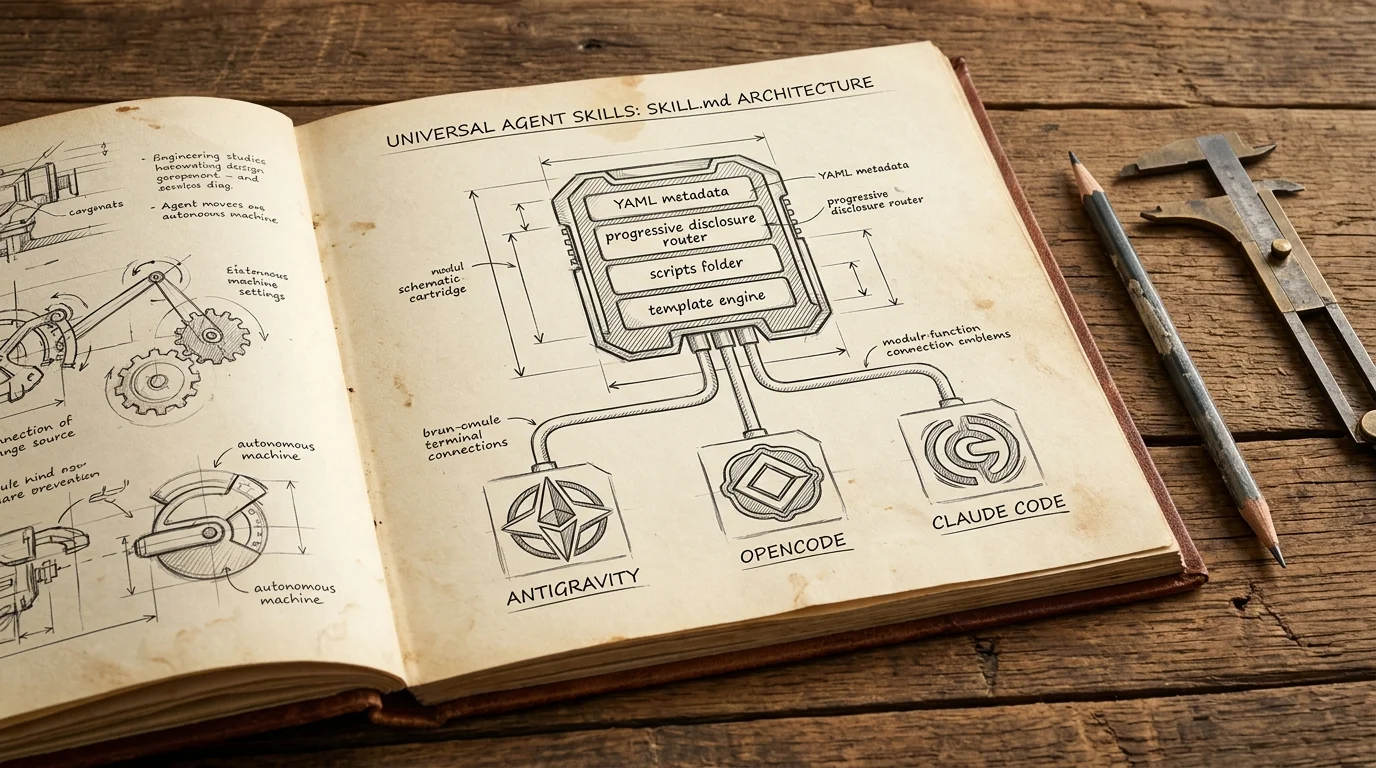
The fragmentation of AI agent tooling has long been a source of developer friction. For years, every coding harness demanded its own proprietary configuration syntax: Claude had custom tool prompts, Gemini CLI used experimental extensions, OpenCode parsed bespoke JSON manifests, and Cursor maintained separate rule directives.
That era has ended. In 2026, the ecosystem converged on a clean, file-based open specification: Agent Skills powered by SKILL.md.
With Google officially retiring Gems in favor of Skills and open-source harnesses standardizing on the Agent Skills standard, you can now build a specialized capability once and deploy it across Google Antigravity (agy), OpenCode, Anthropic's Claude Code, Cursor, and GitHub Copilot without changing a single line of instruction.
However, "portable in theory" and "portable in production" are two different things. Subtle differences in discovery paths, path resolution, router models, and script execution environments can break a skill when moving between CLI harnesses.
This in-depth guide covers the technical nuances of building truly universal, cross-platform Agent Skills in 2026.
The State of Agent Portability in 2026
The convergence on SKILL.md mirrors the historic standardization of the Model Context Protocol (MCP) for tool calling:
┌──────────────────────────────────────────────────────────────┐
│                    Universal Skill Folder                    │
│                                                              │
│   my-skill/                                                  │
│   ├── SKILL.md        (Standard YAML Frontmatter + Markdown) │
│   ├── scripts/        (Portable Python / POSIX Sh)           │
│   ├── references/     (Static Markdown / Cheat sheets)       │
│   └── templates/      (Jinja / Handlebars / Text templates)  │
└──────────────────────────────┬───────────────────────────────┘
                               │
       ┌───────────────────────┼───────────────────────┐
       ▼                       ▼                       ▼
┌──────────────┐       ┌──────────────┐       ┌────────────────┐
│  Antigravity │       │   OpenCode   │       │  Claude Code   │
│ CLI & Desktop│       │  CLI & Web   │       │   CLI Engine   │
│  (Google AI) │       │ (Open Source)│       │  (Anthropic)   │
└──────────────┘       └──────────────┘       └────────────────┘
When Anthropic first introduced the folder-based skill structure, it established three core principles:
- Plaintext Primacy: Skills must live directly on the filesystem as standard Markdown and scripts.
- Progressive Disclosure: Agents inspect metadata first, loading full instructions and scripts only when relevant.
- Zero Runtime Lock-in: A skill requires no dedicated compilation step or vendor SDK.
Google's Antigravity runtime, the OpenCode foundation, and IDE vendors adopted the same mental model. While each harness may offer vendor-specific extensions (such as Antigravity's subagent delegation or OpenCode's sandboxed container runners), the baseline specification remains universally compatible.
Discovery Paths & Precedence Comparison
Every agent runtime resolves skills by scanning local project directories and user-level global configuration folders. Local project skills take precedence over global skills, allowing teams to check project-specific workflows directly into Git repositories.
Here is where each platform looks for your skills:
| Runtime / Harness | Project-Level Discovery Path | Global / User-Level Discovery Path |
|---|---|---|
Antigravity CLI (agy) & IDE | .agents/skills/ or .gemini/skills/ | ~/.gemini/antigravity-cli/skills/ or ~/.agents/skills/ |
| OpenCode | .opencode/skills/ or .agents/skills/ | ~/.config/opencode/skills/ |
| Claude Code | .claude/skills/ or .agents/skills/ | ~/.claude/skills/ |
| Cursor & GitHub Copilot | .cursor/skills/ or .github/skills/ | ~/.cursor/skills/ |
[!TIP] Universal Recommendation: Most modern harnesses (Antigravity v2+, OpenCode 2, and Claude Code v2.1+) natively support the vendor-neutral
.agents/skills/directory at the project root. If you are configuring a shared repository, place your skills in.agents/skills/<skill-name>/to avoid duplicating folders across vendor dotfiles.
Discovery Precedence Hierarchy
When multiple skills share the same name identifier, harnesses resolve collisions using a deterministic precedence hierarchy:
1. Active Session Override (--skill / CLI flag)
   └── 2. Project Local (.agents/skills/<name>/)
       └── 3. Workspace Shared (.cursor/ / .github/)
           └── 4. User Global (~/.gemini/... or ~/.claude/...)
               └── 5. Built-in Harness Bundles
Feature & Capability Matrix
While the core Markdown instruction parser is shared, platform runtimes differ in how they handle frontmatter keys, subagent execution, and token tiering.
| Feature / Capability | Google Antigravity | OpenCode | Claude Code | Cursor / Copilot |
|---|---|---|---|---|
Core Metadata (name, description) | Supported | Supported | Supported | Supported |
Version Key (version: 1.2.0) | Supported | Supported | Supported | Ignored |
Model Override Key (model: ...) | Supported (inherit, flash, pro) | Supported (OpenRouter / Local IDs) | Supported (sonnet, opus) | Ignored |
Tool Restrictions (tools: [...]) | Supported | Supported | Supported | Partial |
| Async Subagent Invocation | Native (invoke_subagent) | Native (Agent forks) | Native (Sub-tasks) | Linear Only |
| Progressive Disclosure Tiers | Full 3-Tier | Full 3-Tier | Full 3-Tier | 2-Tier (Prompt injection) |
| Max Recommended Prompt Tokens | 5,000 | 4,000 | 5,000 | 2,000 |
Understanding the 3-Tier Progressive Disclosure Model
All major harnesses implement progressive disclosure to prevent token waste and context dilution:
[ Tier 1: Catalog ] ──▶ Name + Description loaded at session boot (~50-100 tokens)
                                 │
                                 ▼ (Trigger condition matched by router)
[ Tier 2: Instructions ] ──▶ SKILL.md body loaded into active context (<5,000 tokens)
                                 │
                                 ▼ (Agent determines script / file is needed)
[ Tier 3: Resources ] ──▶ Scripts, templates, and references read on demand
- Tier 1 (Catalog Scan): During initialization, the harness indexes only the YAML frontmatter (
nameanddescription). - Tier 2 (Instruction Loading): When the user prompt matches a skill's description, the agent executes a file read on
SKILL.mdto ingest the core instructions. - Tier 3 (Resource Execution): Supporting assets inside
scripts/,templates/, orreferences/are never dumped into context automatically. The agent reads or executes them on demand.
Authoring Universal Skills: The Golden Rules
To guarantee that your skill executes identically regardless of whether the developer invokes it via agy, opencode, or claude, follow these three golden architectural rules.
1. Cross-Shell Script Portability
Never assume the host environment uses Bash 5, Zsh, or GNU utilities. macOS defaults to BSD tools and older Bash, while minimal Docker containers in CI environments often ship with POSIX ash or sh.
❌ Bad: Non-portable Bashism
#!/usr/bin/env bash
declare -A MAP=( [key]="value" ) # Fails on default macOS bash (v3.2)
source "${0%/*}/helpers.sh"

✅ Good: POSIX-compliant shell wrapper or Python 3 standard library
#!/usr/bin/env python3
# Standard library only: sys, os, subprocess, json, argparse
[!IMPORTANT] The Zero-Dependency Python Rule: For complex scripts, write standalone Python 3 scripts relying strictly on the Python Standard Library (
argparse,json,subprocess,re,pathlib,urllib.request). Do not requirepip installor external virtualenvs unless the skill includes a self-bootstrapping verification step.
2. Relative Path Referencing vs. Absolute Path Traps
Harnesses execute commands from the developer's current working directory (the project root), not from the directory where SKILL.md resides.
If your skill attempts to execute ./scripts/my-script.py, it will fail unless the user happens to run the agent from inside the skill folder.
The Universal Path Resolution Pattern
When writing instructions inside SKILL.md, instruct the agent to locate helper scripts relative to the skill directory or via dynamic discovery:
### Executing Helper Scripts

Run the bundled script using Python 3:

```bash
# Locate the script from the skill directory:
python3 $(find . -path "*/skills/release-notes/scripts/summarize_git.py" | head -n 1) --from-tag "$(git describe --tags --abbrev=0 2>/dev/null || echo '')"
```
In your Python scripts, compute paths relative to the script file itself:
import os
import sys

# Compute the skill root directory regardless of current working directory
SCRIPT_DIR = os.path.dirname(os.path.abspath(__file__))
SKILL_ROOT = os.path.dirname(SCRIPT_DIR)
TEMPLATES_DIR = os.path.join(SKILL_ROOT, "templates")
REFERENCES_DIR = os.path.join(SKILL_ROOT, "references")
3. Description Engineering for Heterogeneous Router Models
Your description frontmatter is the only text the model evaluates during Tier 1 indexing. Different router models (Claude 3.7/4 Sonnet, Gemini 3.5 Flash, GPT-5, Qwen 2.5/3) have distinct trigger sensitivities.
[!WARNING] Vague descriptions cause routing failure.
- ❌
description: Helps with Git and releases.- ❌
description: Release note generator.The agent will ignore vague skills 80% of the time because it cannot determine exact activation boundaries.
The Triple-Trigger Description Formula
A robust, universally discoverable description must contain three components:
- Primary Capability: What the skill does.
- Key Triggers / Synonyms: Exact keywords, verbs, and common user phrases.
- Exclusion / Boundary Condition: When not to activate the skill.
---
name: release-notes-generator
description: |
  Generates production changelogs and release notes from Git commit history, PRs, and conventional commit tags.
  Use this skill whenever the user asks to:
  - "create release notes"
  - "generate changelog"
  - "prepare release summary for vX.Y.Z"
  - "summarize changes since last tag"
  Do NOT use for single commit message generation (use standard git commit workflows instead).
---
Step-by-Step Walkthrough: Building a Universal "Release Notes Generator" Skill
Let's build a production-grade, universal skill that analyzes Git commit history, categorizes changes according to Conventional Commits, and produces release notes formatted for GitHub Releases or internal distribution.
1. Skill Directory Structure
Create the folder structure inside .agents/skills/release-notes/:
.agents/skills/release-notes/
├── SKILL.md
├── scripts/
│   └── summarize_git.py
├── templates/
│   └── release_template.md
└── references/
    └── conventional_commits.md
2. The Universal SKILL.md
Create .agents/skills/release-notes/SKILL.md:
---
name: release-notes
description: |
  Automates the generation of structured, categorized release notes and changelogs from Git commit logs.
  Triggers on requests to "draft release notes", "generate changelog", "summarize commits since last release",
  or "prepare vX.Y.Z release notes". Uses Conventional Commits standards to group breaking changes,
  features, bug fixes, and performance improvements.
---

# Release Notes Generator

This skill extracts git history between two tags or commits, parses conventional commit conventions, and formats production-ready release notes using standard templates.

## Workflow

Follow these steps sequentially to generate release notes:

### Step 1: Inspect Git Repository & Identify Range

Determine the start and end revisions:
1. Find the latest Git tag:
   ```bash
   git describe --tags --abbrev=0 2>/dev/null || echo "INITIAL"
- If the user specified a version or range (e.g.,
v1.2.0..v1.3.0orv1.2.0..HEAD), use that range. - If no prior tag exists, summarize all commits up to
HEAD.
Step 2: Extract and Categorize Commits
Execute the bundled Python extraction script to collect structured JSON metadata:
# Locate the script relative to skill paths
python3 $(find . -path "*/skills/release-notes/scripts/summarize_git.py" | head -n 1) --from-tag "$(git describe --tags --abbrev=0 2>/dev/null || echo '')" --to-ref "HEAD"
If the Python script is unavailable or returns an error, fall back to raw Git log inspection:
git log --pretty=format:"%h|%s|%an|%ad" --date=short $(git describe --tags --abbrev=0 2>/dev/null)..HEAD
Step 3: Parse and Classify Changes
Classify each commit into one of the following sections according to Conventional Commits:
| Prefix | Section Title | Description |
|---|---|---|
feat: | 🚀 Features & Enhancements | New functionality or capabilities |
fix: | 🐛 Bug Fixes | Resolutions to known defects |
perf: | ⚡ Performance Improvements | Speed, memory, or throughput gains |
refactor: | 🛠️ Refactoring & Architecture | Internal structural improvements |
docs: | 📚 Documentation Updates | Doc changes, examples, or tutorials |
test:, ci: | 🤖 Maintenance & CI/CD | Testing, workflows, and dependency bumps |
BREAKING CHANGE: | ⚠️ Breaking Changes | Backwards-incompatible API or config changes |
Consult references/conventional_commits.md for edge-case classifications.
Step 4: Assemble the Release Notes
- Load
templates/release_template.md. - Populate the release version, release date, and summary overview.
- Group the classified commits into bullet points, cleaning up noisy commit messages into clear, human-readable explanations.
- Highlight any breaking changes prominently with migration guidance.
- Present the final Markdown output to the user and offer to write it to
CHANGELOG.mdor a GitHub Release draft.
---

### 3. The Extraction Script (`summarize_git.py`)

Create `.agents/skills/release-notes/scripts/summarize_git.py` using pure Python 3 standard library:

```python
#!/usr/bin/env python3
"""
Universal Git Commit Extractor & Categorizer for Agent Skills.
Requires Python 3.8+ with zero third-party dependencies.
"""

import argparse
import json
import re
import subprocess
import sys


CONVENTIONAL_PATTERN = re.compile(
    r"^(?P<type>feat|fix|perf|refactor|docs|test|ci|chore|style|build)"
    r"(?:\((?P<scope>[^\)]+)\))?"
    r"(?P<breaking>!)?"
    r":\s*(?P<subject>.+)$",
    re.IGNORECASE,
)


def run_command(cmd):
    """Executes a shell command and returns standard output."""
    try:
        res = subprocess.run(
            cmd,
            stdout=subprocess.PIPE,
            stderr=subprocess.PIPE,
            text=True,
            check=True,
            shell=isinstance(cmd, str),
        )
        return res.stdout.strip()
    except subprocess.CalledProcessError as e:
        sys.stderr.write(f"Command failed: {cmd}\nError: {e.stderr}\n")
        return ""


def get_commit_range(from_tag, to_ref):
    """Calculates git revision range."""
    if not from_tag:
        # Check if there is an existing tag
        latest_tag = run_command(["git", "describe", "--tags", "--abbrev=0"])
        from_tag = latest_tag if latest_tag else ""

    if from_tag:
        return f"{from_tag}..{to_ref}"
    return to_ref


def extract_commits(rev_range):
    """Extracts commit logs formatted as JSON-friendly dictionaries."""
    log_format = "%H%x1f%h%x1f%s%x1f%b%x1f%an%x1f%ad"
    cmd = ["git", "log", f"--pretty=format:{log_format}", "--date=short"]

    if ".." in rev_range:
        cmd.append(rev_range)
    else:
        cmd.extend(["-n", "50", rev_range])

    raw_output = run_command(cmd)
    if not raw_output:
        return []

    commits = []
    for line in raw_output.split("\n"):
        parts = line.split("\x1f")
        if len(parts) < 6:
            continue

        full_hash, short_hash, subject, body, author, date = parts[0], parts[1], parts[2], parts[3], parts[4], parts[5]

        # Parse conventional commit syntax
        match = CONVENTIONAL_PATTERN.match(subject)
        is_breaking = bool(match and match.group("breaking")) or ("BREAKING CHANGE" in body)

        c_type = match.group("type").lower() if match else "other"
        c_scope = match.group("scope") if match else None
        c_subject = match.group("subject") if match else subject

        commits.append({
            "hash": short_hash,
            "full_hash": full_hash,
            "raw_subject": subject,
            "type": c_type,
            "scope": c_scope,
            "subject": c_subject,
            "body": body.strip(),
            "author": author,
            "date": date,
            "is_breaking": is_breaking,
        })

    return commits


def categorize_commits(commits):
    """Groups commits by category for release note drafting."""
    categorized = {
        "breaking": [],
        "features": [],
        "fixes": [],
        "performance": [],
        "refactoring": [],
        "documentation": [],
        "maintenance": [],
        "other": [],
    }

    type_mapping = {
        "feat": "features",
        "fix": "fixes",
        "perf": "performance",
        "refactor": "refactoring",
        "docs": "documentation",
        "test": "maintenance",
        "ci": "maintenance",
        "chore": "maintenance",
        "build": "maintenance",
    }

    for c in commits:
        if c["is_breaking"]:
            categorized["breaking"].append(c)

        cat = type_mapping.get(c["type"], "other")
        categorized[cat].append(c)

    return categorized


def main():
    parser = argparse.ArgumentParser(description="Extract Git commits for Agent Skill release notes.")
    parser.add_argument("--from-tag", default="", help="Starting tag or revision")
    parser.add_argument("--to-ref", default="HEAD", help="Ending revision (default: HEAD)")
    parser.add_argument("--json", action="store_true", default=True, help="Output JSON structure")
    args = parser.parse_args()

    rev_range = get_commit_range(args.from_tag, args.to_ref)
    commits = extract_commits(rev_range)
    categorized = categorize_commits(commits)

    result = {
        "range": rev_range,
        "total_commits": len(commits),
        "categories": categorized,
    }

    print(json.dumps(result, indent=2))


if __name__ == "__main__":
    main()
4. Supporting Templates and Reference Files
Template: .agents/skills/release-notes/templates/release_template.md
# Release Notes - ${VERSION} (${DATE})

## 🌟 Overview
${OVERVIEW_SUMMARY}

---

## ⚠️ Breaking Changes
${BREAKING_CHANGES_LIST}

## 🚀 Features & Improvements
${FEATURES_LIST}

## 🐛 Bug Fixes
${BUG_FIXES_LIST}

## ⚡ Performance Improvements
${PERF_LIST}

## 🛠️ Internal & Maintenance
${MAINTENANCE_LIST}

---
**Full Changelog**: [${PREVIOUS_TAG}...${VERSION}](https://github.com/${REPO_OWNER}/${REPO_NAME}/compare/${PREVIOUS_TAG}...${VERSION})
Reference: .agents/skills/release-notes/references/conventional_commits.md
# Conventional Commits Reference (v1.0.0)

Conventional Commits provide lightweight conventions on top of commit messages:

`<type>[optional scope]: <description>`

### Recognized Types
- **feat**: Introduces a new user-facing feature.
- **fix**: Patches a bug or regression.
- **perf**: Changes that improve execution performance.
- **refactor**: Code restructuring without bug fixes or new features.
- **docs**: Markdown or documentation updates only.
- **test**: Adding or correcting automated tests.
- **ci**: Pipeline and workflow script modifications.
- **chore**: Routine maintenance tasks or dependencies.

### Breaking Change Syntax
1. An exclamation mark before the colon: `feat(api)!: drop deprecated v1 auth endpoints`
2. An entry in the commit footer: `BREAKING CHANGE: The 'legacyAuth' flag has been removed.`
Testing Across All Three Harnesses
Once your universal skill folder is assembled in .agents/skills/release-notes/, test execution across each CLI runtime to verify Tier 1 discovery and Tier 2 execution:
1. Google Antigravity CLI (agy)
Run agy from your project root:
# Start interactive agent session
agy

# Prompt the agent
> Draft the release notes for our upcoming v2.4.0 release based on the latest commits
Verification: In Antigravity, check that agy lists release-notes under active skills, reads SKILL.md, invokes the Python extraction script, and formats the output according to release_template.md.
2. OpenCode CLI (opencode)
Run OpenCode:
opencode run "Generate changelog for release v2.4.0 using the release-notes skill"
Verification: OpenCode scans .agents/skills/ or .opencode/skills/, runs the headless agent via opencode run, executes summarize_git.py, and returns the markdown diff directly in the terminal.
3. Claude Code (claude)
Run Claude Code:
claude "Prepare release notes for HEAD compared to last tag"
Verification: Claude Code indexes .agents/skills/, outputs its execution plan, parses the conventional commit structures, and generates the changelog.
Packaging and Distribution Strategies
To distribute your custom skills across multiple developer machines or team repositories, consider three proven strategies:
┌─────────────────────────────────────────────────────────────┐
│                 Skill Distribution Models                   │
├──────────────────────────────┬──────────────────────────────┤
│ 1. Git Submodule / Dotfiles  │ Shared across company repos  │
│ 2. Symlinked Central Cache   │ Developer ~/.config setup    │
│ 3. Skill Packs Archive       │ Packaged tarball distribution│
└──────────────────────────────┴──────────────────────────────┘
Strategy 1: Git Symlinking for Local Developers
If you manage a personal dotfiles repository with reusable skills, symlink your central skills directory into project roots:
# Symlink your global skills into any active repository
mkdir -p .agents
ln -s ~/.gemini/antigravity-cli/skills .agents/skills
Strategy 2: Team-Wide Git Submodules
For engineering teams maintaining 50+ microservices, store company-standard skills in a dedicated repository (github.com/your-org/agent-skills) and attach it as a Git submodule:
git submodule add https://github.com/your-org/agent-skills.git .agents/skills
Whenever standard operational procedures or release checklists change, team members run git submodule update --remote to immediately sync agent capabilities.
Summary Checklist for Universal Skills
Before committing a new skill to your repository, run through this final quality assurance checklist:
- Standard Directory: Stored under
.agents/skills/<skill-name>/with a validSKILL.md. - Precise Description: Description contains clear activation verbs, exact user triggers, and boundary conditions.
- No Hardcoded Paths: Scripts locate files via dynamic relative paths (
os.path.dirname(__file__)). - Zero Extra Dependencies: Helper scripts run on standard Python 3.8+ or POSIX
sh. - Progressive Disclosure: Large reference docs and templates are separated into
references/andtemplates/rather than embedded directly inSKILL.md. - Multi-Harness Tested: Tested across at least two different CLI runners (
agy,opencode,claude).
By authoring universal SKILL.md packages, you future-proof your agent workflows against framework churn and enable your entire team to work with the tools they prefer.
Related Reading:
- Agent Skills: The Open Standard for AI Agent Capabilities
- Gems Are Retiring: Google Moves Gemini to Skills Standard
- Gemini CLI to Antigravity CLI Migration Guide
- Skills Collection — curated catalog of community skills (Superpowers, Anthropic Official, Gemini Skills, Taste-Skill, more) with per-tool install tabs and a Vetting Guide
Related Articles & Deep Dives
 #claude-code
Claude Code Burns 33,000 Tokens Before Your Prompt Arrives — We Counted Every One
A systima.ai API-level analysis reveals Claude Code sends 33k tokens of system prompt and tool schemas per request vs 7k for OpenCode. Cache instability makes it worse — up to 54x more cache writes. Here's what it means for your daily workflow.
 #mcp
#mcp10 MCP Servers Every Developer Needs
The essential Model Context Protocol servers for AI coding agents — GitHub, Postgres, Filesystem, Brave Search, Figma, and more — with setup instructions for Claude Code, Gemini CLI, and OpenCode.
 #claude-code
Claude Code vs Gemini CLI vs OpenCode: Which AI Coding Agent Is Right for You?
Head-to-head comparison of the three leading terminal AI coding agents. Pricing, models, context windows, privacy, and when to pick each tool.