
Updated 2026-10-30 for OpenCode 2. The original May 2026 version described OpenCode 1.
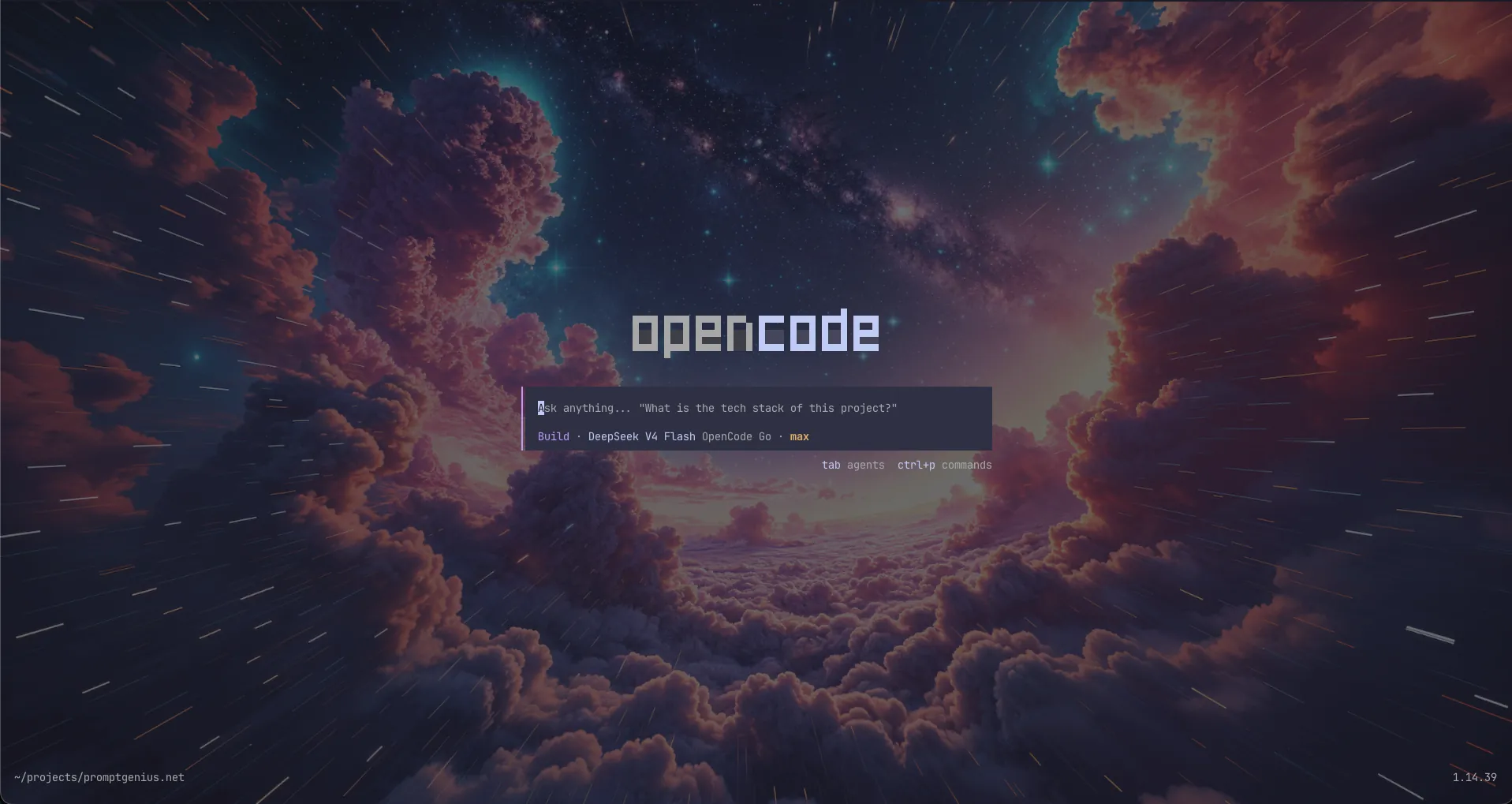
OpenCode is an open source AI coding agent built for the terminal, with web and desktop clients attached to the same server. It supports 75+ LLM providers and lets you switch models mid-session. Its key differentiator: provider freedom. You are not locked into one vendor's model roadmap, pricing, or outages — and you can run entirely on local models.
OpenCode 2 shipped on 2026-10-12. It is a substantial rewrite of the runtime: the agent now runs as one shared background service, MCP tools go through a JavaScript Code Mode, and subagents and shell commands can run in the background. This guide covers installation, provider setup, the Console and Go plans, and the configuration that actually matters.
What Changed in OpenCode 2
If you used OpenCode 1, these are the changes that affect daily work:
- Shared background service — the TUI, web client, and desktop app all connect to one server. Sessions, permissions, and terminals stay in sync.
- Code Mode — MCP servers and OpenAPI endpoints become JavaScript functions inside a sandboxed interpreter. The agent can call a tool, map over the results, and call another tool in a single step.
- Background subagents and shell — long reviews, test runs, and builds can continue while you keep prompting. Press
Ctrl+Bto move running work to the background. - New plugin API — V1 plugins do not run in V2. Plugins now use
Plugin.define({ id, setup(ctx) }). - New server API and SDK —
@opencode/clientand@opencode/sdkreplace the old clients. - Terminal settings moved — themes and keybinds now live in
~/.config/opencode/cli.json, notopencode.json. - LSP tools removed — V2 accepts
lspconfiguration but does not run language servers or provide diagnostics. Use your project's lint, typecheck, or compiler commands instead.
Configuration files and .opencode/ definitions from V1 are still loaded. The official migration guide covers the field-by-field mapping.
Installation
# Install script (recommended)
curl -fsSL https://opencode.ai/v2/install | bash

# Via npm
npm install -g @opencode/cli

# Via Homebrew
brew install anomalyco/tap/opencode-v2

# Verify
opencode --version
Bun and pnpm need to allow the package's postinstall script:
bun install -g --trust @opencode/cli
pnpm add -g --allow-build=@opencode/cli @opencode/cli
Arch Linux users can install opencode-beta from the AUR (paru -S opencode-beta). Windows package managers are not supported; use the standalone binary from the download page.
To upgrade:
opencode upgrade
V1 installs stay on the 1.x line. Upgrade across the major version explicitly with opencode upgrade --major.
Authentication & Provider Setup
OpenCode supports 75+ LLM providers. Manage credentials through either:
- TUI:
/connectinside the terminal interface - CLI:
opencode auth login <provider>
Both methods store API keys and OAuth tokens in ~/.local/share/opencode/auth.json. To see what's configured:
opencode auth list
This displays active credentials and their auth method (API key, OAuth, or device code).
OpenCode Console (Free + Pay-As-You-Go)
The Console is OpenCode's optional managed service. Every account starts with a Personal workspace; you can add credits for pay-as-you-go inference, connect your own provider accounts through the gateway, track usage, set budgets, and deploy policies.
Setup:
/connect
Select your workspace, authenticate through the browser, then run /models to pick a model. You do not need a Console account to use OpenCode with your own API keys.
OpenCode Go ($10/month)
Go is a subscription for open coding models tested by the OpenCode team. It works like any other provider: subscribe in the Console, copy the API key, then connect it as OpenCode Go.
Plans:
| Plan | Price | Included usage |
|---|---|---|
| Go | $10/month | Monthly limits on the Go model list |
| Go Plus | $40/month | Higher limits on the same models |
| Go Teams | $20/member/month | Per-member limits inside a workspace |
Each model has a 5-hour, weekly, and monthly allowance. Go and Go Plus are for single-member workspaces; Go Teams covers multiple members. If you also keep a Console credit balance, you can enable Extra Usage to fall back to pay-as-you-go after the limit.
Model references use the opencode-go provider prefix:
{
  "model": "opencode-go/kimi-k3"
}
Referral:
Sign up for OpenCode Go through this link and you get a $5 usage credit toward your Go usage limits — we get the same. No cost to you.Using Your Existing Subscriptions
OpenCode lets you bring your own subscriptions from other providers at no additional cost.
ChatGPT Plus/Pro (OpenAI):
Run /connect, select OpenAI, then choose Sign in with ChatGPT. All available OpenAI models appear under /models.
GitHub Copilot:
Run /connect, select GitHub Copilot, and complete the device flow at github.com/login/device. The account needs Copilot Chat access.
Anthropic (Claude Pro/Max):
Run /connect, select Anthropic, then choose the Claude Pro/Max browser flow. You can also paste an API key from the Anthropic Console.
OpenRouter:
Get a key from the OpenRouter dashboard, run /connect, search for OpenRouter, and paste it.
Other providers (DeepSeek, Google, Groq, Together AI, etc.):
The /connect flow works the same for all 75+ providers. Credentials can also be picked up from environment variables such as ANTHROPIC_API_KEY, OPENAI_API_KEY, GOOGLE_API_KEY, DEEPSEEK_API_KEY, and OPENROUTER_API_KEY.
Local Models
Ollama, LM Studio, and vLLM are discovered automatically on their default ports. Start the runtime, pull a model, and select it with the runtime's provider prefix:
ollama serve
ollama pull qwen3:8b
/models
> ollama/qwen3:8b
For a remote or proxied runtime, point the provider at its OpenAI-compatible endpoint:
{
  "$schema": "https://opencode.ai/config.json",
  "providers": {
    "ollama": {
      "settings": {
        "baseURL": "http://gpu-host:11434/v1"
      }
    }
  }
}
Config File
The main configuration lives at ~/.config/opencode/opencode.jsonc (or opencode.json), with a per-project copy in the project root. It manages:
providers— model endpoints, credentials, and per-model overridesmodel— default model selectionpermissions— ordered allow/ask/deny rulesmcp.servers— MCP server definitionsskills— extra skill directories and HTTP catalogsplugins— installed pluginsagentsandcommands— custom agents and slash commandscompaction— context compaction budget
{
  "$schema": "https://opencode.ai/config.json",
  "model": "anthropic/claude-sonnet-5-5",
  "permissions": [
    { "action": "shell", "resource": "*", "effect": "ask" },
    { "action": "shell", "resource": "git status *", "effect": "allow" },
    { "action": "shell", "resource": "git push *", "effect": "deny" }
  ],
  "mcp": {
    "servers": {}
  }
}
opencode.jsonc does not store raw API keys — those live in auth.json under ~/.local/share/opencode/. Terminal preferences such as themes and keybinds live in ~/.config/opencode/cli.json.
First Project Setup
Navigate to a project directory and run OpenCode:
cd /path/to/project
opencode
Create an AGENTS.md file in the project root with the project structure, technology stack, and coding conventions. OpenCode reads it every session; nested AGENTS.md files are loaded as the agent explores those directories.
# AGENTS.md

## Commands
- `npm run dev` — start the dev server
- `npm test` — run the test suite

## Conventions
- TypeScript strict mode; no `any`
- Tests live next to the file they test
Commit this file to git — it helps OpenCode understand your project on every future session.
Plan Mode vs Build Mode
OpenCode ships two primary agents:
- Build (
build) — the default coding agent. It reads, writes, and edits files and runs commands within your permission rules. - Plan (
plan) — explores and plans without editing normal project files. Shell commands remain permission-controlled.
Press Shift+Tab to cycle agents, or run /agents. The prompt footer shows which agent is active. Custom agents can be defined in .opencode/agents/<name>.md with their own model and permissions.
Key Features
Code Mode: MCP servers and OpenAPI endpoints are converted into JavaScript functions the agent can compose. A single script can search GitHub, file issues in Linear, and return the identifiers — one model round trip instead of ten. MCP servers are opted into Code Mode by default.
Background work: Subagents and shell commands can run asynchronously. Ask for a background review subagent, run the test suite in the background, and keep prompting. If a foreground command takes longer than expected, press Ctrl+B to move it to the background.
MCP (Model Context Protocol) servers: Connect OpenCode to databases, APIs, file systems, and other external tools. Configure servers under mcp.servers in opencode.jsonc, or use opencode mcp add. Remote servers use OAuth by default.
Skills: Reusable instruction bundles loaded on demand. Put them in .opencode/skills/<name>/SKILL.md or point at extra directories with the skills array. The model loads one through the skill tool when the task matches its description.
Plugins: Extend the server, TUI, or both. V2 ships 80+ internal plugins and supports hot reload, so OpenCode can write and load a plugin mid-session. Manage them with opencode plugin list, add, check, and update.
Multi-session: Run multiple agents in parallel on the same project. Tabs are enabled by default; Ctrl+Tab switches between them and Ctrl+Shift+T reopens the last closed tab.
Web and desktop: The web client and desktop app connect to the same background service. Run opencode pair to get one-time links for another device or browser.
Session history and sharing: Every session is stored in a local SQLite database. Export or import sessions with opencode session export and opencode session import.
Undo/Redo: Revert unwanted changes with /undo and re-apply with /redo. Both work across multiple steps.
Image support: Drag and drop screenshots, mockups, or diagrams into the terminal. OpenCode passes them to a vision-capable model.
Model switching: Change models mid-session with /models (or Ctrl+X then M). Switch between Console, Go, OpenRouter, or any configured provider without restarting.
Themes and keybinds: Configure in ~/.config/opencode/cli.json. The leader key defaults to Ctrl+X; Ctrl+P opens the command palette.
Console vs Go: Quick Comparison
| Feature | Console | Go |
|---|---|---|
| Pricing | Free account; credits for pay-as-you-go | $10/month (Go), $40 (Go Plus), $20/member (Go Teams) |
| Models | Proprietary and open source through one gateway | Curated open coding models |
| Usage limits | Per-request billing from credits | Monthly limits per model, with 5-hour and weekly sub-limits |
| Extras | Teams, budgets, policies, web search, harnesses | Extra Usage fallback to credits |
| Best for | Mixed model access, teams, centralized billing | Regular daily coding on open models |
Tips & Best Practices
- Set a default model in
opencode.jsoncso you don't have to pick each session - Use
@to fuzzy-search files —@src/utils/helpers.ts#20-45gives OpenCode precise context - Start in Plan for complex features, then switch to Build to execute
- Commit
AGENTS.mdso every session starts with the same conventions - Use
/undoliberally — OpenCode supports multiple undo steps - Run
/modelsto see all available models across configured providers - Keep
auth.jsonsecure — it contains raw API keys - Use
opencode run "message"for scripts and CI, with--format jsonfor machine output - Use
opencode miniwhen you want a minimal interface instead of the full-screen TUI - Run
opencode upgraderegularly — the project ships frequent updates
OpenCode is MIT-licensed and available on GitHub. Community support is on Discord; the V2 documentation at opencode.ai/v2/docs is the source of truth for configuration.
Sources
Related Articles & Deep Dives
 #claude-code
Claude Code Burns 33,000 Tokens Before Your Prompt Arrives — We Counted Every One
A systima.ai API-level analysis reveals Claude Code sends 33k tokens of system prompt and tool schemas per request vs 7k for OpenCode. Cache instability makes it worse — up to 54x more cache writes. Here's what it means for your daily workflow.
 #claude-code
Claude Code vs Gemini CLI vs OpenCode: Which AI Coding Agent Is Right for You?
Head-to-head comparison of the three leading terminal AI coding agents. Pricing, models, context windows, privacy, and when to pick each tool.
 #reverse-engineering
Reverse Engineer Anything (REA): How to Prompt the MCP
REA is an MIT-licensed MCP server that lets coding agents reverse engineer apps, games, and binaries locally. Install, three workflows, and the legal lines.