Midjourney Environment Prompts: Master Creation & Design
Learn to create stunning environments in Midjourney with this comprehensive guide. Explore techniques for natural landscapes, urban settings, and interior spaces using effective prompts.
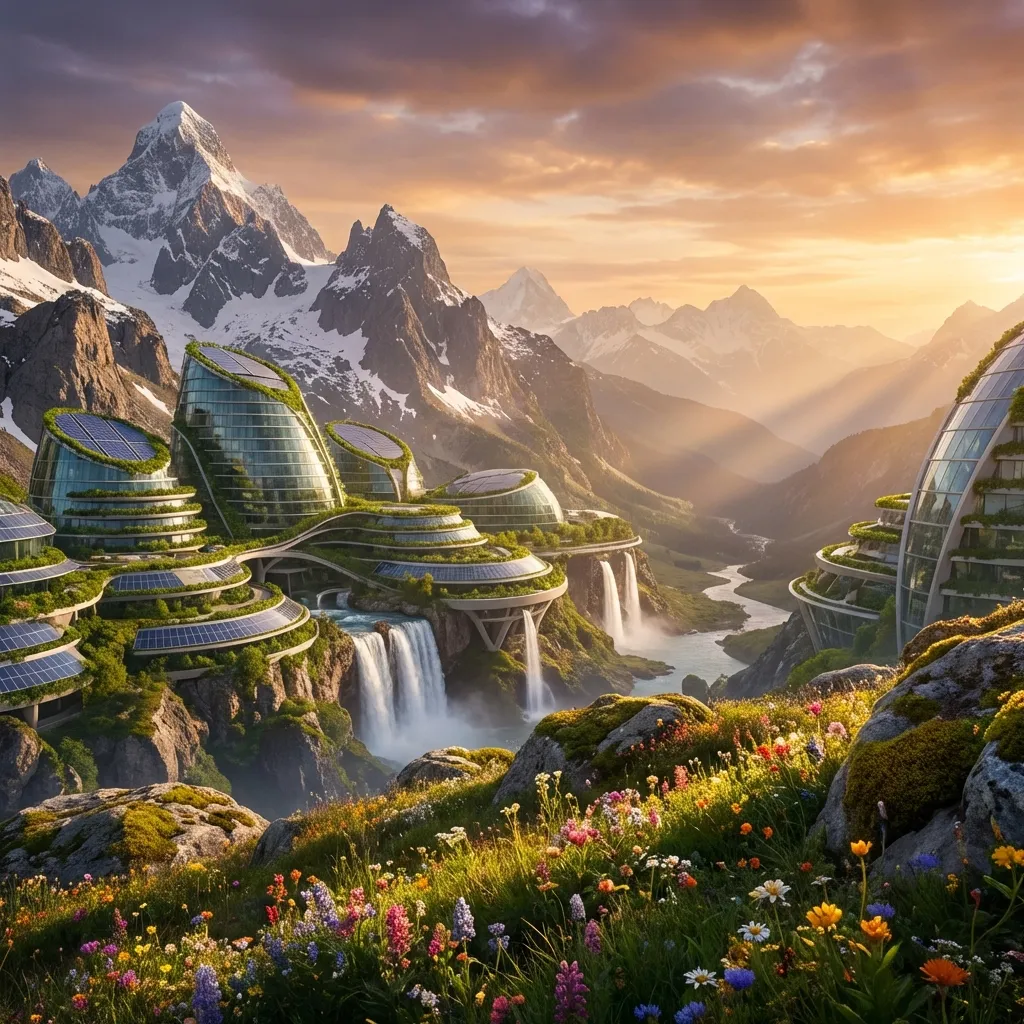
Midjourney excels at creating immersive, atmospheric environments that transport viewers to entirely new worlds. From sweeping natural vistas to intricate interior spaces, the platform's understanding of lighting, composition, and spatial relationships makes it a powerful tool for environment design.
Whether you're a concept artist visualizing game worlds, an architect exploring spatial ideas, or a creative looking to generate stunning backdrops, mastering environment prompts unlocks the ability to craft richly detailed scenes with precise control over mood, scale, and atmosphere. The key is understanding how to layer spatial elements, lighting conditions, and stylistic choices to create cohesive, believable spaces.
Master Major Environment Categories
Natural Landscapes
Urban Environments
Interior Spaces
Fantasy Worlds
When to Use Environment Prompts
Use environment design capabilities when you need to:
- Concept art for games/films with detailed world-building and atmospheric scenes.
- Architectural visualization showing spaces, lighting, and material qualities.
- Background plates for compositing, VFX work, or digital matte paintings.
- Mood boards establishing visual direction for projects or campaigns.
- Storytelling settings that establish tone, era, and narrative context.
Natural Landscapes: Organic Worlds
Create breathtaking outdoor environments with natural elements, atmospheric conditions, and dramatic lighting that captures the beauty and scale of nature.
Alpine Mountain Vista
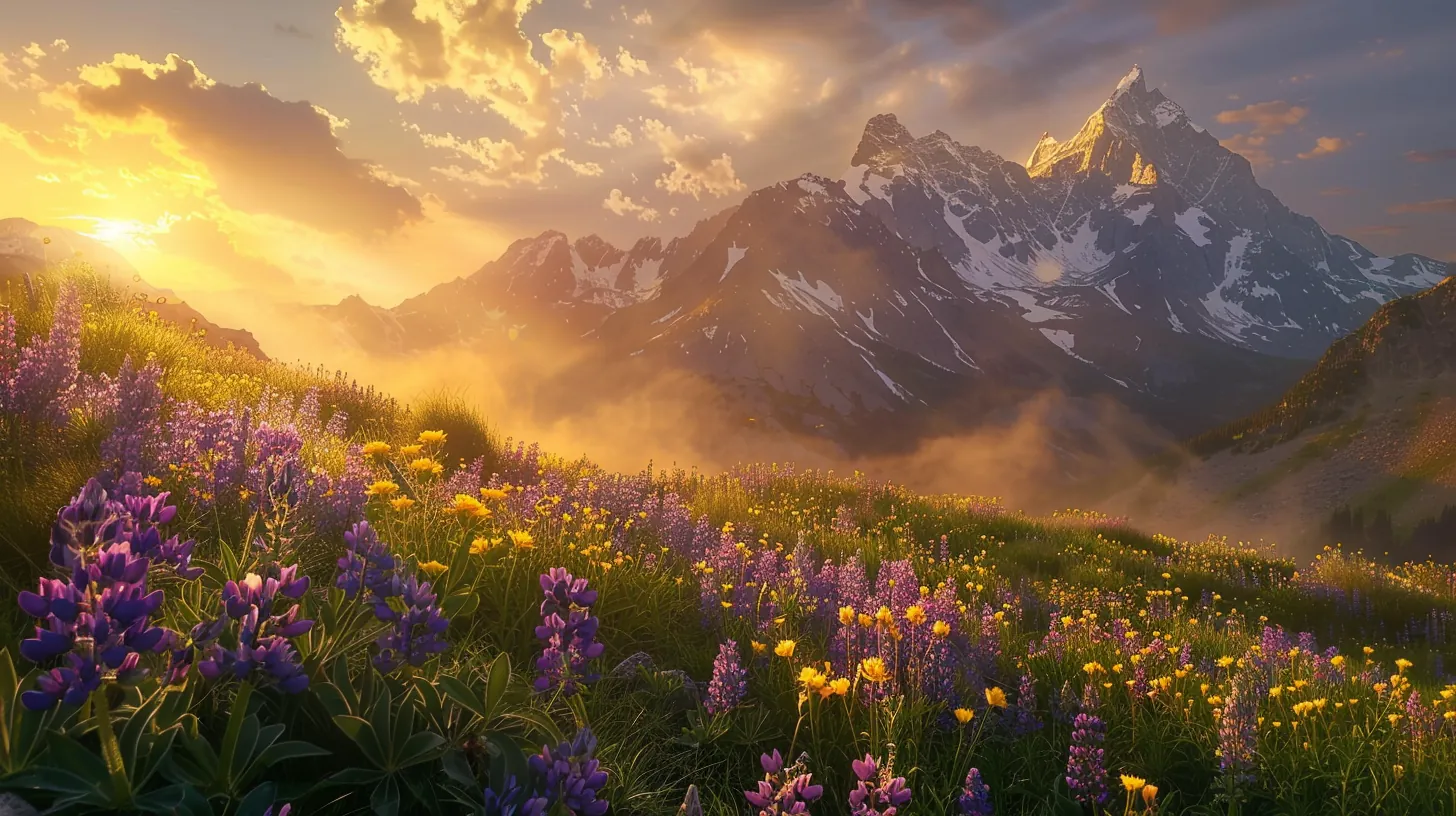
Create an epic alpine mountain landscape at golden hour. Environment: - **Foreground**: Wildflower meadow with purple lupines and yellow buttercups, rocky outcroppings - **Midground**: Pine forest treeline transitioning to rocky slopes - **Background**: Snow-capped jagged peaks fading into atmospheric haze - **Sky**: Dramatic cumulus clouds with god rays breaking through Atmosphere: - **Lighting**: Warm golden hour backlight creating rim lighting on peaks - **Weather**: Clear with wispy high-altitude clouds - **Effects**: Volumetric light rays, atmospheric perspective, gradient haze - **Color Palette**: Warm golds, cool blues in shadows, vibrant wildflowers Technical: - **Style**: Professional landscape photography, National Geographic quality - **Camera**: Wide-angle lens (24mm), f/16 for deep depth of field - **Focus**: Sharp foreground detail, progressive softness toward distance --ar 16:9 --v 6 --q 2
Key Detail: Layer three distinct depth planes (foreground → midground → background) for spatial depth. Use atmospheric haze and progressive softness for photorealistic aerial perspective. Specify lighting quality with photography terms like "golden hour backlight" and "rim lighting."
Result: A cinematic landscape with layered depth, dramatic lighting, and emotional impact suitable for matte painting, concept art, or presentation imagery.
Urban Environments: Built Worlds
Generate cityscapes, streets, and urban settings with architectural details, human elements, and the complex interplay of artificial lighting and structural forms.
Modern Metropolis
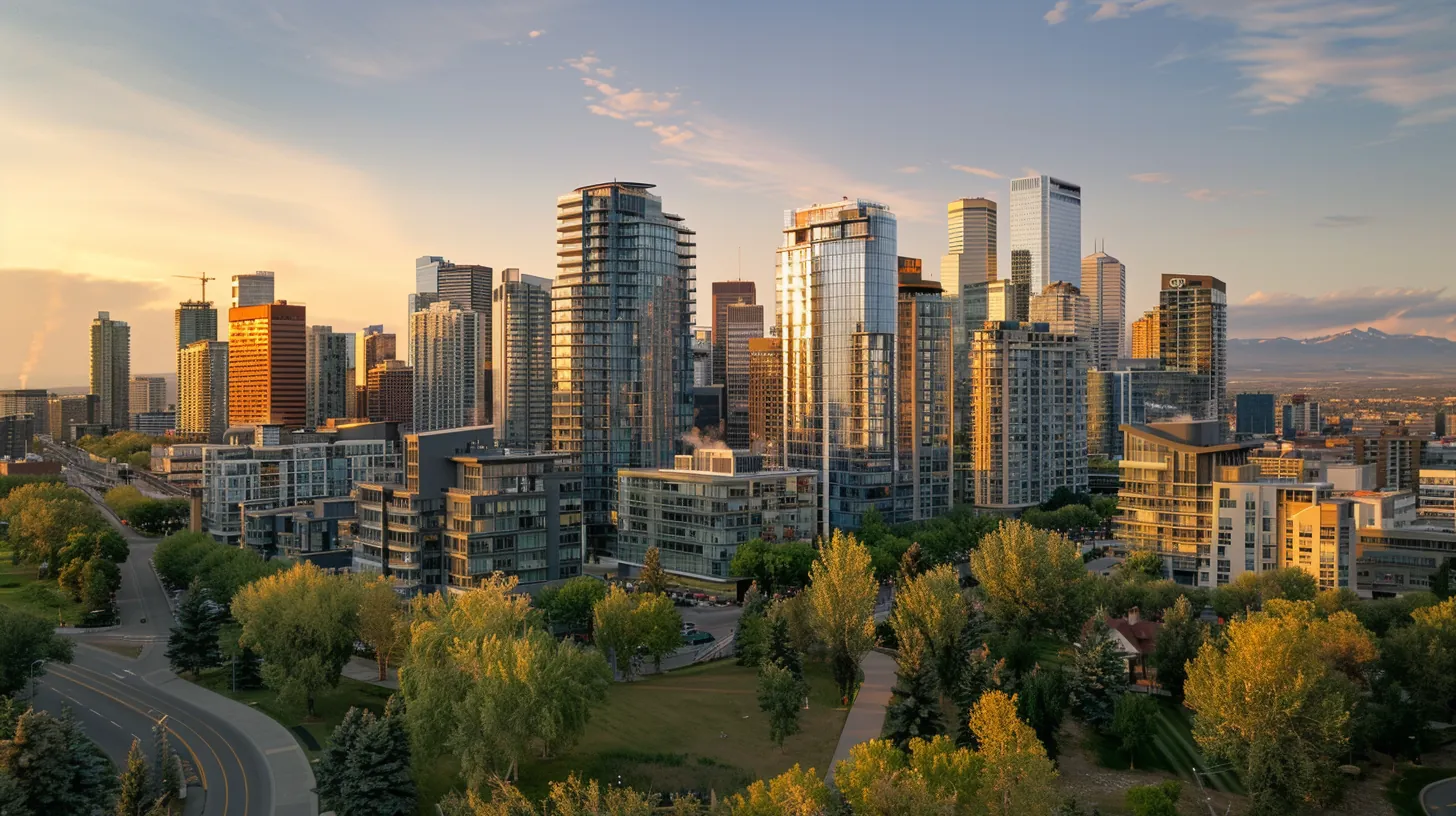
Create a contemporary downtown cityscape at golden hour with aerial perspective. Environment: - **Foreground**: Urban park with tree canopy, pedestrian pathways, city plaza - **Midground**: Modern glass skyscrapers and steel structures, varied building heights - **Background**: Downtown core with high-rise towers fading into atmospheric haze - **Streets**: Busy traffic corridors, pedestrian zones, urban infrastructure Architecture: - **Building Style**: Contemporary glass curtain walls, steel and concrete construction - **Details**: Reflective facades catching golden light, geometric patterns, balconies - **Variation**: Mixed heights creating dynamic skyline, architectural diversity - **Features**: Rooftop gardens, observation decks, modern office towers Atmosphere: - **Lighting**: Warm golden hour sunlight creating rim lighting on building edges - **Weather**: Clear evening with soft atmospheric perspective - **Effects**: Glass reflections, warm glow on facades, long shadows between buildings - **Color Palette**: Warm oranges and golds on lit surfaces, cool blue shadows Technical: - **Style**: Professional architectural photography, urban landscape aesthetic - **Camera**: Aerial perspective (200-300ft elevation), wide-angle view capturing city scale - **Focus**: Sharp architectural detail on midground buildings, progressive softness toward distance --ar 16:9 --v 6 --q 2 --style raw
Key Detail: Aerial perspective at 200-300ft elevation provides ideal cityscape overview without losing architectural detail. Use "glass curtain walls" and "reflective facades" to capture modern architectural character. Specify "golden hour sunlight creating rim lighting" for dramatic building edge highlights.
Result: A professional urban scene with dynamic lighting and architectural detail perfect for architectural visualization, game concepts, or cityscape presentations.
Interior Spaces: Enclosed Worlds
Design interior environments with controlled lighting, material detail, and spatial composition that tells stories through object placement and architectural character.
Modern Living Room
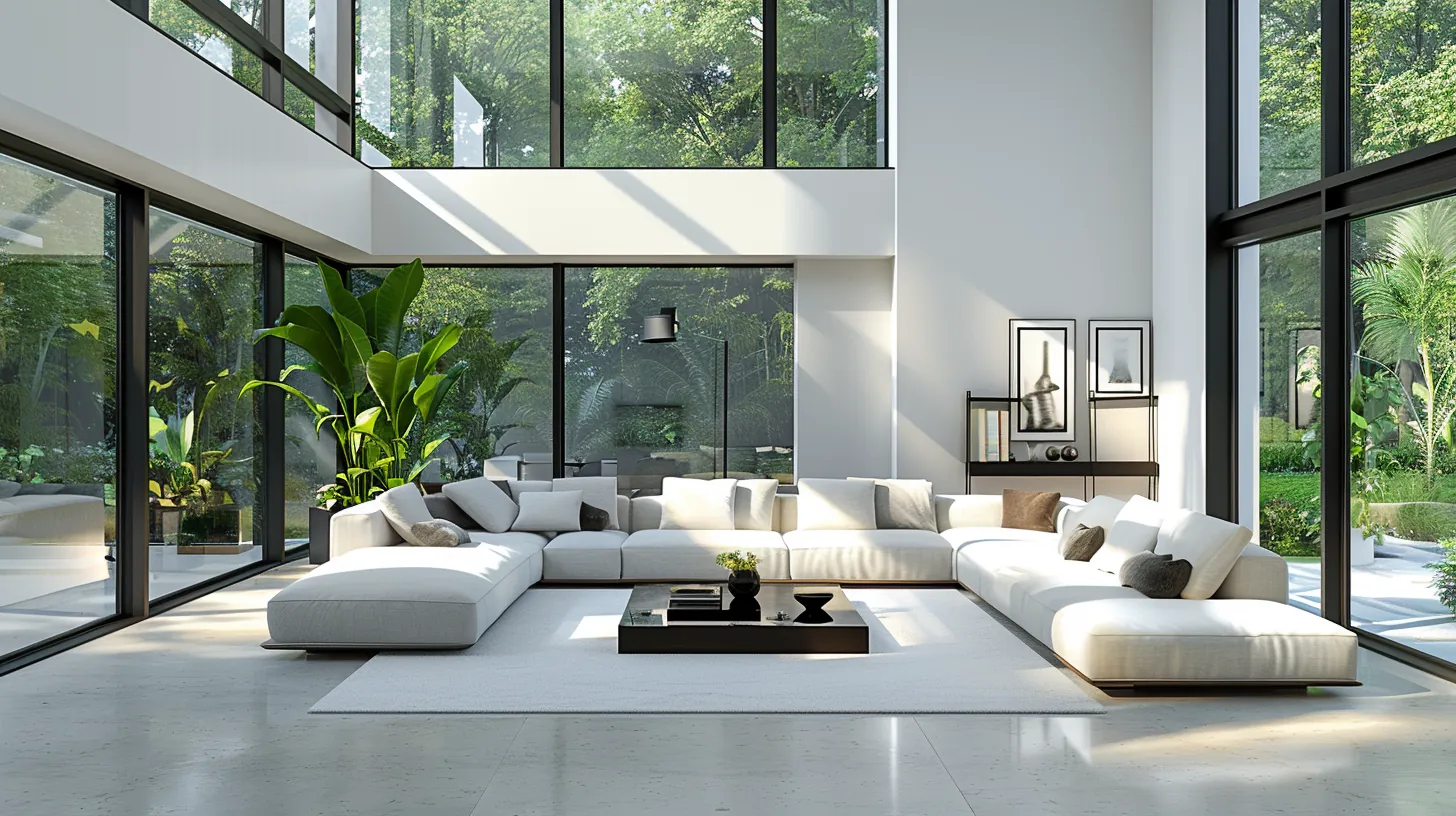
Minimalist contemporary living room with serene aesthetic. Architecture: Floor-to-ceiling windows flooding space with abundant natural light, white painted walls creating clean backdrop, polished concrete floors with subtle grey undertones. Furniture: Low-profile modern sofa in white linen, minimalist glass coffee table with metal frame, accent chairs with clean geometric forms. Decor: Potted plant in corner adding soft green element, abstract minimalist artwork on accent wall in muted tones, simple metal shelving with curated objects. Color palette: Pure whites, soft greys, concrete grey, green foliage, warm wood accents. Lighting: Soft diffused daylight from expansive windows creating gentle shadows, no visible artificial lighting. Atmosphere: Calm, uncluttered, serene minimalist aesthetic with focus on space and light. Wide-angle perspective showing full room layout and spatial flow. Contemporary interior photography style --ar 16:9 --v 6 --stylize 400
Key Detail: Material detail (wood, concrete, linen), light behavior (streaming natural light, soft shadows), and strategic object placement create intentional composition. For minimalist spaces, focus on negative space and the interplay of light and clean forms.
Result: A professionally rendered interior space suitable for architectural visualization, interior design reference, or modern lifestyle photography.
Fantasy Worlds: Magical Realms
Craft immersive magical environments with impossible architectures, ethereal atmospheres, and supernatural elements that defy physical laws.
Enchanted Forest
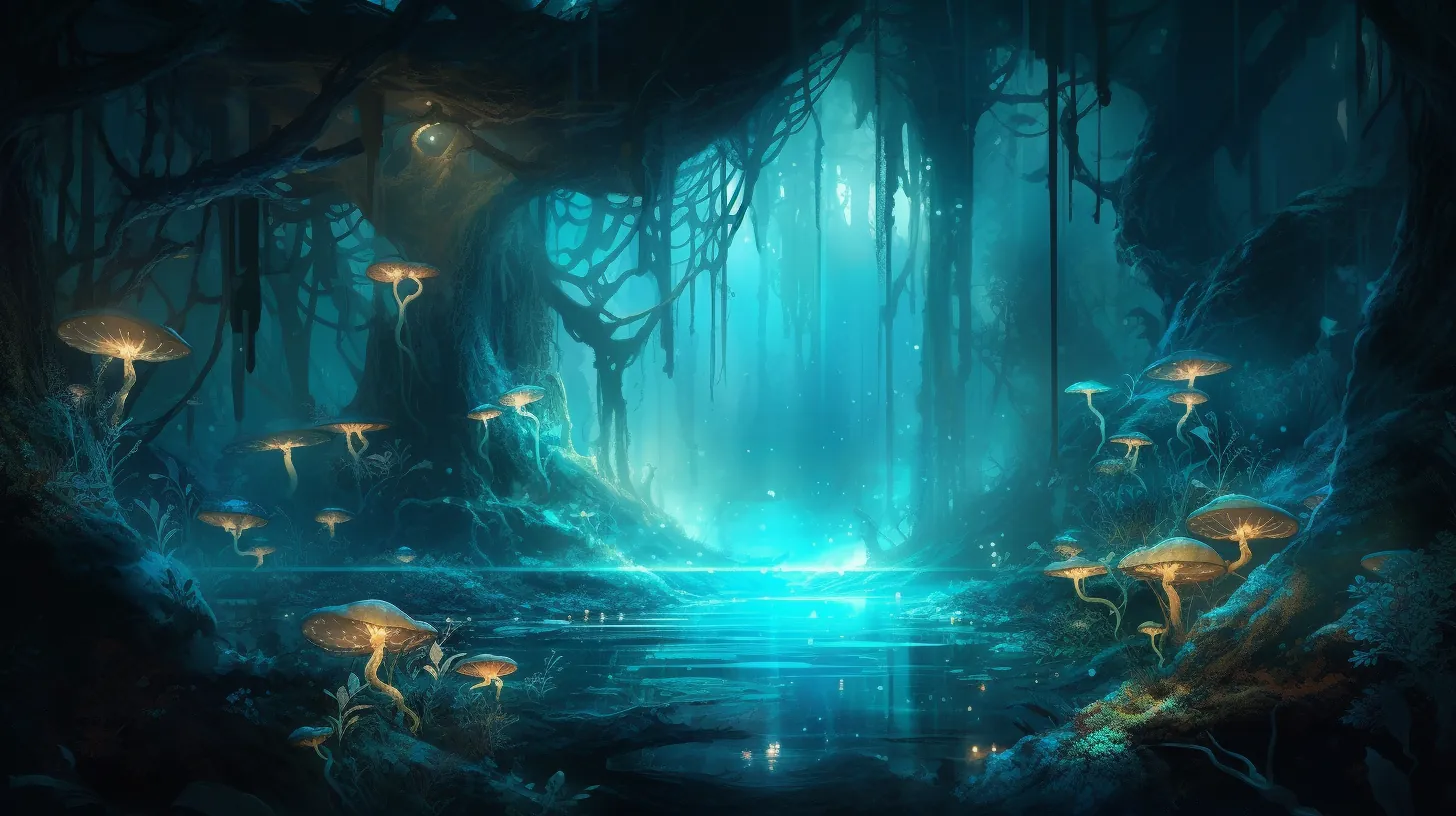
Mystical forest realm: - Bioluminescent flora, floating crystals - Ancient twisted trees, magical mushrooms - Ethereal mist, fairy lights - Magical creatures, spirit wisps - Wide panoramic view --ar 16:9 --v 5 --s 750
Key Detail: Fantasy environments combine magical effects (bioluminescence, floating elements, ethereal mists) with believable natural structures. Layer atmospheric effects subtly—use "fairy lights" and "spirit wisps" rather than overloading with magical elements. Include specific flora and fauna that feel organic to the world.
Result: An immersive magical scene perfect for fantasy worldbuilding, game environments, or imaginative concept art.
Choosing Your Environment Type
| Category | Best For | Key Characteristic |
|---|---|---|
| Natural Landscapes | Outdoor scenes, epic vistas, organic beauty | Atmospheric depth, natural lighting, scale |
| Urban Environments | Cities, streets, architectural complexity | Dense detail, artificial lighting, human elements |
| Interior Spaces | Rooms, buildings, enclosed atmospheres | Material detail, controlled lighting, intimate scale |
| Fantasy Worlds | Magical realms, supernatural settings, impossible architecture | Magical effects, ethereal atmosphere, world-building |
Essential Environment Parameters
Fine-tune your environment creations with these key settings.
Critical Environment Parameters
Note:
When creating environments, layer your descriptions from macro to micro: start with overall location and scale, then add lighting conditions and atmosphere, then specific architectural or natural details, and finally material textures and fine elements.
Prompt Structure Best Practices
Note:
Master environment composition by building from general to specific: location type → spatial layout → lighting conditions → architectural/natural elements → materials and textures → artistic style.
Universal Environment Template
[Specific location and environment type]:

[Spatial Composition]:
- **Foreground**: [immediate elements and scale reference]
- **Midground**: [primary subject and key features]
- **Background**: [depth elements and atmospheric effects]

[Lighting and Atmosphere]:
- **Lighting**: [light source, quality, direction]
- **Weather/Conditions**: [time of day, climate, atmospheric effects]
- **Color Palette**: [dominant colors and accents]
- **Mood**: [emotional tone and atmosphere]

[Technical Details]:
- **Style**: [photographic or artistic style]
- **Camera**: [perspective, lens, angle]
- **Focus**: [depth of field, focal point]
--ar [ratio] --v 6 --q 2 --stylize [value]
Key Composition Principles
-
Foreground-Midground-Background Layering:
- Foreground provides scale reference and viewer entry point
- Midground contains primary subject and compositional focus
- Background creates depth through atmospheric perspective and size reduction
-
Depth Creation Techniques:
- Use atmospheric haze/fog for distance
- Specify size reduction in background elements
- Layer distinct depth planes with clear separation
- Include scale references (people, vehicles, structures) for dimension
-
Lighting as Narrative:
- Golden hour and blue hour create dramatic emotional tone
- Backlighting creates rim highlights and silhouettes
- Side lighting creates sculptural form and texture emphasis
- Overhead lighting flattens but clarifies architectural detail
-
Material and Texture Definition:
- Specify materials explicitly (marble, concrete, rusted steel, weathered wood)
- Include wear patterns and aging for authenticity
- Use contrasting textures for visual interest
- Detail reflective vs. matte surfaces for lighting interaction
Prompt Engineering for Environments
1. Establish Clear Spatial Scale
✓ "Mountain valley with wildflower meadow in foreground, pine forest at treeline, snow-capped peaks in distant background, clear atmospheric haze"

✗ "Beautiful landscape with mountains and trees"
Why: Explicitly layered depth guides composition and atmospheric perspective rendering.
2. Specify Lighting Direction and Quality
✓ "Lit by warm golden hour backlight creating rim lighting on edges, shadows in valleys, volumetric light rays through clouds"

✗ "Well-lit landscape"
Why: Precise lighting parameters create mood, drama, and photographic believability.
3. Include Architectural or Natural Details
✓ "Victorian library with floor-to-ceiling mahogany bookshelves, ornate ceiling, leather wingback chair, active fireplace, afternoon sunlight streaming through arched windows"

✗ "Nice library interior"
Why: Specific details trigger accurate stylistic rendering and visual richness.
4. Balance Detail with Simplicity
✓ "Modern glass office towers, steel structures, green rooftop gardens, bustling streets, warm evening light"

✗ "Modern city with glass buildings and steel structures and people walking and cars and streetlights and signs and details everywhere"
Why: 3-5 key details are more effective than overwhelming lists. Quality over quantity.
Common Environment Mistakes to Avoid
Depth and Composition Issues
- No clear foreground: Environments feel flat without scale reference or entry point
- Muddled layering: Unclear spatial separation between near and far elements
- Missing focal point: Composition lacks visual hierarchy or primary subject
- Poor atmospheric perspective: Distant elements too sharp or close elements too soft
Lighting Problems
- Contradictory light sources: Multiple conflicting light directions confusing the scene
- Flat, even lighting: No drama, shadow, or dimensional modeling
- Unrealistic light behavior: Shadows falling wrong direction for light source angle
- Color grading absent: Lighting color not matching stated time of day or conditions
Detail and Material Issues
- Generic descriptions: "Modern" or "nice" without specific architectural language
- Material mismatches: Assigning reflective surfaces to matte materials or vice versa
- Missing weathering: Brand-new materials feel artificial in aged environments
- Texture contradiction: Shiny surfaces paired with rough weathered description
Environmental Physics Issues
- Impossible architecture: Floating elements without stated magical support
- Wrong scale proportions: Buildings too small relative to landscape or vice versa
- Logical inconsistencies: Desert landscape with glacial features or tropical climate
- Perspective errors: Camera angle contradicting stated composition
Tips for Mastering Environment Creation
Research and Reference
- Study real-world photography in each environment category
- Analyze lighting, composition, and material usage in reference images
- Understand architectural styles and their historical contexts
- Learn how light behaves at different times and weather conditions
Parameter Optimization
- Use
--q 2for detailed environments—material and architectural clarity require quality - Test aspect ratios for your composition type (16:9 for vistas, 3:4 for vertical spaces)
- Use
--stylize 400-500for photorealistic environments, 600-700 for artistic rendering - Try
--style rawfor architectural and photorealistic work
Composition Techniques
- Always establish three clear depth planes (foreground, midground, background)
- Include scale references (people, vehicles, trees) for dimensional credibility
- Use atmospheric effects (haze, mist, weather) for depth enhancement
- Create compositional balance through symmetry or rule-of-thirds placement
Iterative Refinement
- Start with broad location description, then refine specific elements
- Test different lighting scenarios (golden hour, blue hour, overcast, dramatic)
- Adjust material specificity based on rendering results
- Build variation library of successful prompt patterns
Style Consistency
- Choose consistent artistic direction (photorealistic, painterly, cinematic, stylized)
- Maintain period accuracy in historical environments
- Keep architectural or natural style cohesive throughout environment
- Document successful parameter combinations for future reference
Pro Tip:
The most compelling environments blend believable physical logic with intentional artistic choices. Think like a cinematographer: consider light direction, focal point, depth, and emotional tone before describing details.
Common Environment Rendering Challenges
Challenge: Flat, Boring Lighting
Solution: Specify directional light with dramatic angle. Use "golden hour backlight," "rim lighting," "volumetric light rays," or "dappled shadows" to add dimension and mood.
Challenge: Muddy or Confusing Midground
Solution: Simplify and clarify. Specify 2-3 key architectural elements or natural features. Use size, color, or lighting to create visual hierarchy.
Challenge: Atmospheric Haze Not Rendering
Solution: Explicitly state atmospheric effects: "distant atmospheric haze," "progressive softness toward background," "gradient haze transitioning to sky," "aerial perspective."
Challenge: Materials Look Generic
Solution: Name specific materials and finishes: "weathered copper roofing," "aged concrete with lichen stains," "polished marble with subtle veining," "brushed steel framework."
Challenge: Scale Feels Wrong
Solution: Include human-scale reference elements (people, vehicles, chairs, doors). Specify "monumental," "intimate," or "human-scale" proportions explicitly.
Environment Creation Workflow
Phase 1: Concept & Spatial Planning
- Define specific location and environment type
- Establish desired mood and emotional tone
- Plan lighting scenario (time of day, weather, light quality)
- Choose artistic style and rendering approach
- Decide on primary focal point and compositional emphasis
Phase 2: Prompt Construction
- Start with location type and overall description
- Layer in foreground, midground, background elements
- Specify lighting direction, quality, and color
- Add architectural or natural detail specifics
- Include material and texture descriptions
- Set parameters (ratio, quality, style, stylize)
Phase 3: Initial Generation
- Generate at full size with all parameters
- Evaluate composition, lighting, and spatial depth
- Check for architectural/natural element accuracy
- Assess material and texture rendering
- Review color palette and mood
Phase 4: Refinement & Iteration
- Adjust specific elements that missed the mark
- Refine lighting if too flat or unrealistic
- Improve material specificity if too generic
- Enhance depth if composition feels flat
- Iterate on atmospheric details if lacking mood
Phase 5: Documentation & Archiving
- Save final prompt with working parameters
- Document what worked and what didn't
- Create variations with different lighting scenarios
- Build reference library for similar environment types
- Note parameter combinations for future projects
Environment Inspiration by Genre
Game Environment Design
- Emphasize spatial clarity and navigable composition
- Include architectural or terrain features that suggest gameplay
- Use distinct color zones for different areas
- Maintain consistent technical visual quality
- Focus on focal points that draw player attention
Film & Cinematography
- Think in terms of cinematic lighting and composition
- Use depth and atmospheric effects for emotional impact
- Create visual metaphor through environmental choice
- Balance realism with stylistic artistic choices
- Establish location character through distinctive details
Architectural Visualization
- Maintain technical accuracy and proportion
- Emphasize material quality and finish detail
- Use clear lighting to show spatial relationships
- Include human scale references
- Focus on architectural feature emphasis
Concept Art & Fantasy
- Blend physical logic with imaginative elements
- Use dramatic lighting and atmospheric effects
- Create mood and emotional resonance
- Balance detail with compositional clarity
- Suggest narrative through environmental storytelling
Back to Midjourney Prompting Guide →
Related Articles & Guides
 #Midjourney
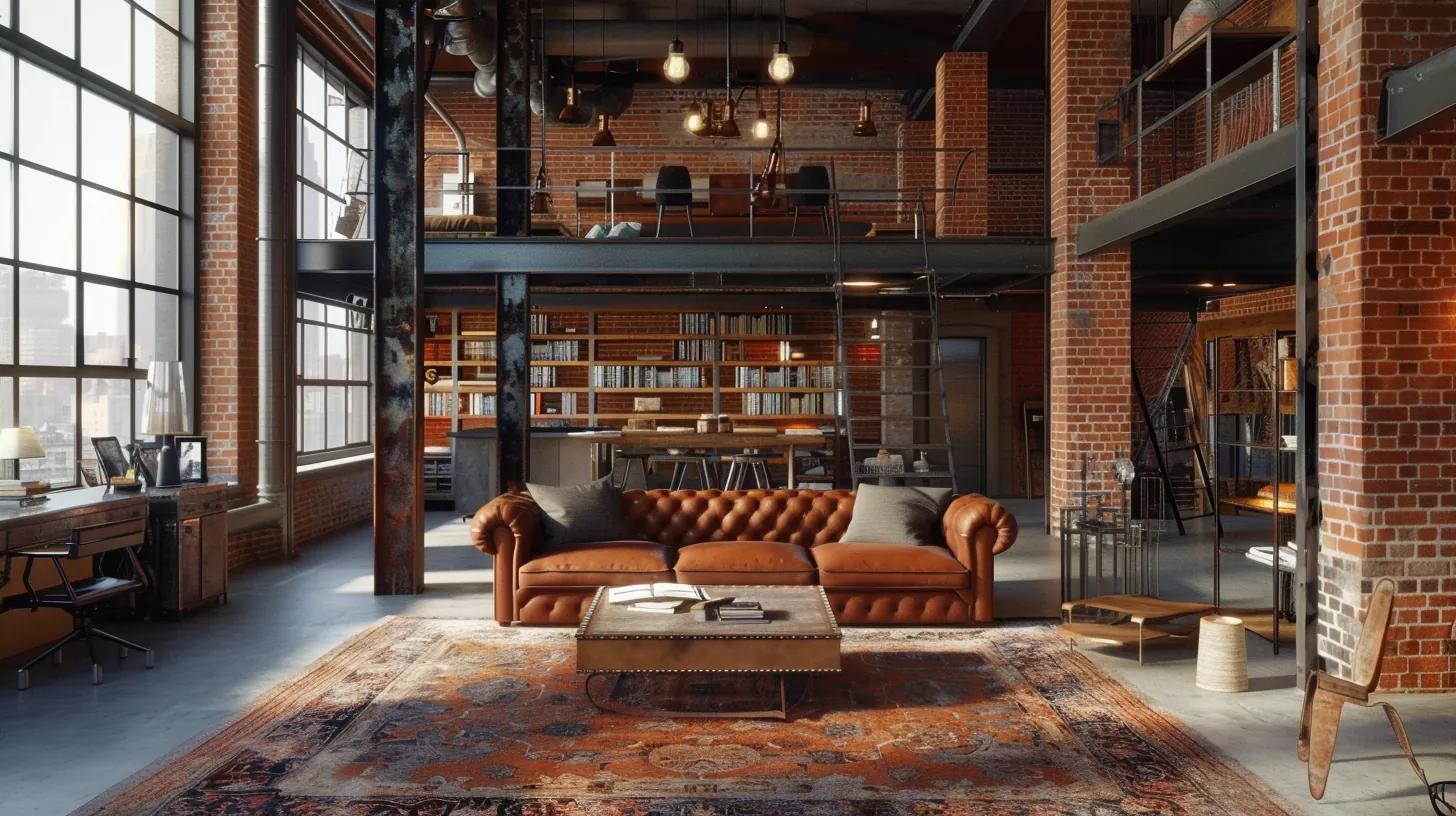
Mastering Midjourney Prompts: Create Stunning Interior Spaces
Master Midjourney prompts to create stunning interior spaces. Learn to define architectural elements, lighting, materials, and composition for breathtaking interior environments.
 #Midjourney
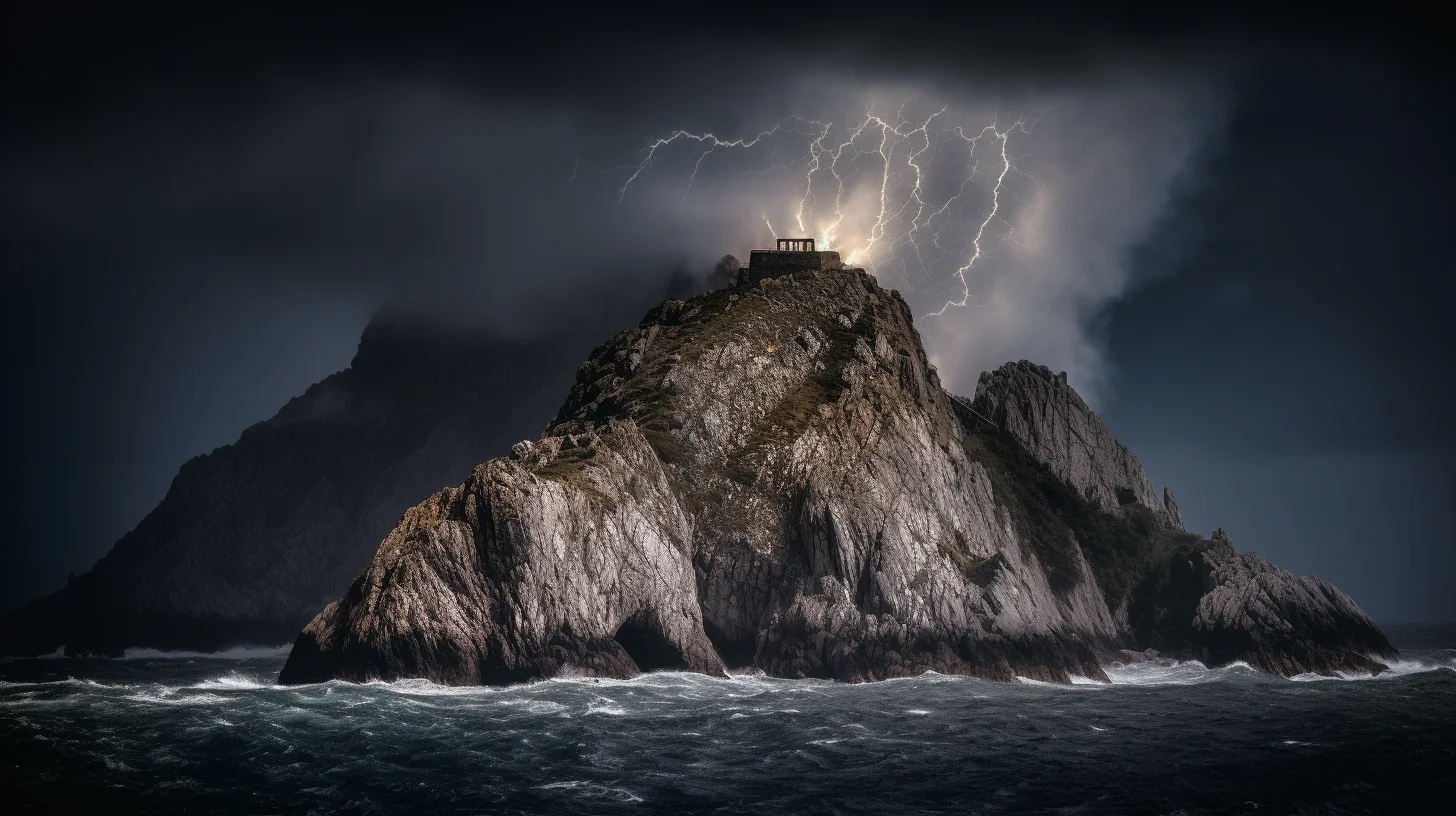
Midjourney Natural Landscape Prompts: Photorealistic Nature Scenes
Create stunning natural landscapes in Midjourney with photorealistic prompts. Master mountains, coastlines, forests, deserts, and seasonal variations with atmospheric depth.
Architectural Minimalism SREF Codes
Clean spaces, essential structures, and architectural reduction with precise geometry and brutalist simplicity.